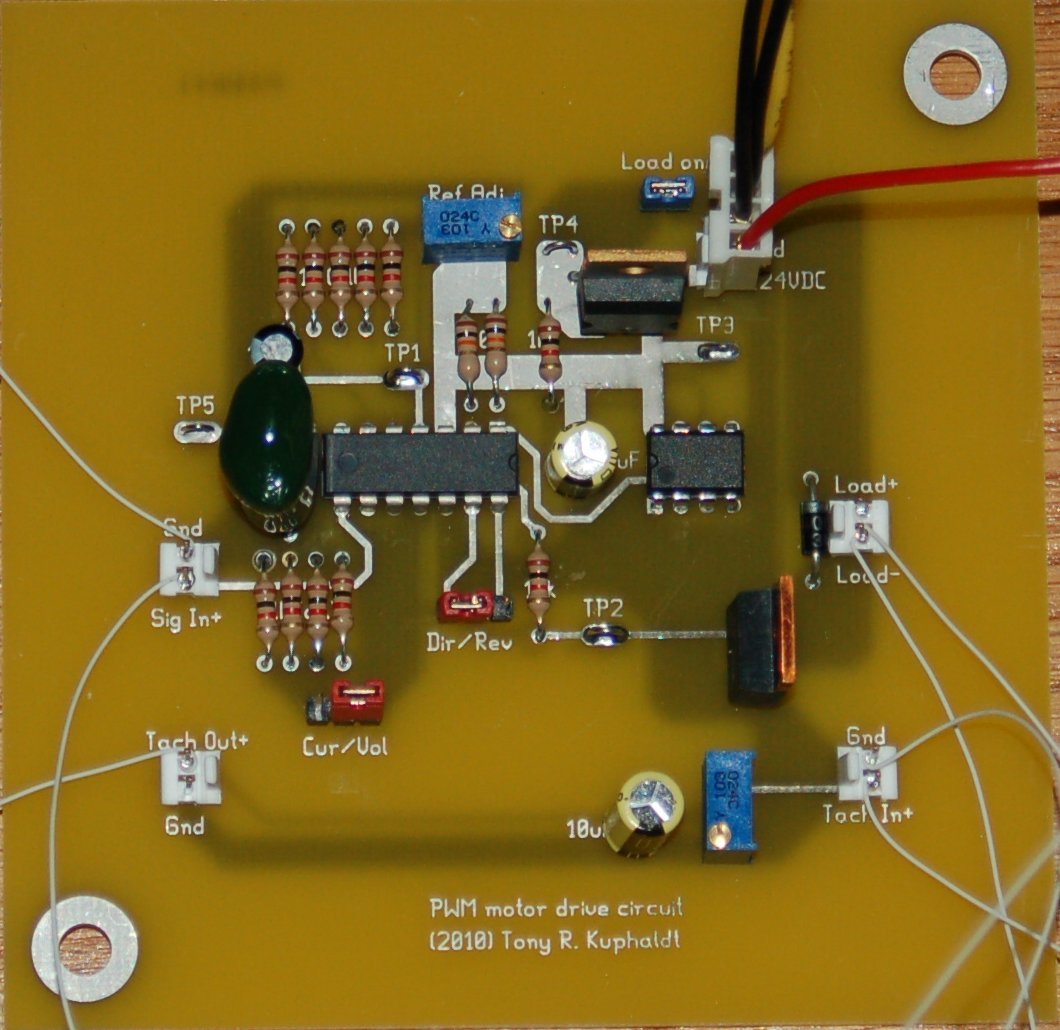
Designing custom printed circuit boards (PCBs) used to be the exclusive domain of large corporations and seasoned engineers, locked behind expensive proprietary software. Today, that barrier has all but crumbled, thanks to a robust ecosystem of Free & Open Source PCB Design Software. Whether you're a curious hobbyist, a bootstrapping startup founder, a student learning the ropes, or an experienced engineer looking for cost-effective alternatives, these tools empower you to bring your electronic visions to life without breaking the bank. They're not just "good enough"—many offer professional-grade features, foster vibrant communities, and drive innovation in ways traditional solutions often can't match.
At a Glance: Why Dive into Free & Open Source PCB Design?
- Cost-Effective Entry: Eliminate steep software licensing fees, making electronics design accessible to everyone.
- Learn & Grow: Ideal for students and self-learners to grasp best practices and experiment freely.
- Community Power: Open-source projects often benefit from active user communities, providing support, tutorials, and shared component libraries.
- Flexibility & Freedom: Modify, distribute, and integrate tools to fit your specific workflow and needs.
- Innovation Hub: Contribute to improving software functionality and shaping the future of EDA (Electronic Design Automation).
- Democratized Design: Lower the barrier to entry for innovation, from IoT gadgets to complex industrial controls.
The Shifting Landscape of Electronics Design: Why Free & Open Source Matters More Than Ever
The electronics industry is dynamic, marked by rapid technological advancements and a persistent talent gap. Historically, the cost of high-end EDA software has been a significant hurdle, especially for individuals, small businesses, and educational institutions. This created a bottleneck, limiting who could enter the field and develop innovative projects.
Enter free and open-source PCB design software. These tools are more than just budget-friendly alternatives; they represent a fundamental shift in how hardware development can occur. By removing financial barriers, they democratize access to critical design capabilities. Students can experiment without institutional licenses, hobbyists can build complex projects from their garages, and professionals can prototype rapidly without impacting large departmental budgets. The open-source nature, in particular, fosters a collaborative learning environment, allowing users to inspect, modify, and even contribute to the codebase. This not only improves functionality over time but also builds a resilient, knowledgeable community around the tools.
This accessibility is crucial for nurturing the next generation of engineers and entrepreneurs. It allows for hands-on learning, rapid iteration, and the sharing of designs and knowledge, accelerating the pace of innovation across the globe.
Navigating the Ecosystem: Key Considerations When Choosing Your Software
With so many excellent options available, picking the "right" free and open-source PCB design software can feel overwhelming. The best tool isn't necessarily the one with the most features, but the one that best fits your specific needs, skill level, and project requirements. Here’s what to consider:
1. Your Experience Level & Learning Curve
Are you a complete beginner, a seasoned professional, or somewhere in between?
- Beginner-friendly tools often prioritize ease of use, intuitive interfaces, and simplified workflows. They might have fewer advanced features but allow you to get started quickly.
- Advanced tools offer deep control, extensive customization, and powerful features, but they typically come with a steeper learning curve. Expect to invest significant time in mastering them.
2. Project Complexity & Scope
What kind of PCBs do you plan to design?
- Simple projects (e.g., single-sided boards, basic breakout boards) might not require extensive layer support or advanced routing features.
- Complex projects (e.g., multi-layer boards, high-speed designs, RF circuits) demand robust capabilities like differential pair routing, impedance control, and advanced design rule checking (DRC).
3. Operating System Compatibility
Most modern software is cross-platform, but some are OS-specific.
- Windows, macOS, Linux, or even web-based? Ensure the software runs smoothly on your preferred system. Web-based tools offer platform independence but require an internet connection.
4. Feature Set: What Do You Really Need?
- Schematic Capture: The ability to draw your circuit diagram. Essential for any project.
- PCB Layout: The core functionality for arranging components and traces on the board.
- Component Libraries: A vast, accurate library of parts (symbols, footprints, 3D models) is critical. Look for integrated access to commercial component databases. Remember, accuracy here is paramount; resources like Ultra Librarian are invaluable for manufacturer-vetted component models and data.
- Simulation: SPICE simulation or mixed-mode simulation helps test circuit behavior before manufacturing, saving time and money.
- Autorouting: Automatically routes traces, which can be a time-saver for simpler boards but often requires manual cleanup for optimal performance.
- Design Rule Checking (DRC): Automatically checks your layout against manufacturing constraints to prevent errors.
- Output Formats: Ensure the software can export standard manufacturing files like Gerber (RS-274X), Excellon drill files, and ODB++ or IPC-2581 for fabrication.
- 3D Viewers: Visualizing your PCB in 3D can help identify potential mechanical interference issues.
5. Community Support & Documentation
- Active community forums, tutorials, and documentation can be lifesavers when you encounter challenges. Open-source projects often excel here.
- Dedicated support (even for free tools) is rare, so community strength is key.
6. Commercial Viability
If you plan to use the software for professional or commercial projects, ensure its license permits this. Most free and open-source tools allow commercial use, but it's always good to double-check.
The Contenders: A Deep Dive into Free & Open Source PCB Design Software
Let’s explore some of the most prominent free and open-source PCB design software options available today, highlighting their strengths and ideal use cases.
The Open-Source Powerhouses: Robust & Community-Driven
These tools are often seen as direct competitors to expensive commercial packages, offering extensive features and strong community backing.
1. KiCad
- Overview: Arguably the most popular truly open-source EDA suite, KiCad is a cross-platform (Windows, Linux, macOS, UNIX) powerhouse. It’s widely adopted by students, hobbyists, and professional engineers alike for its capabilities and community.
- Key Features:
- Comprehensive Suite: Includes schematic capture, PCB layout (supporting up to 32 copper layers), and a built-in SPICE simulator for circuit performance testing.
- Advanced Routing: Features a "push-and-shove" router, ideal for complex layouts, differential pairs, and interactive trace length adjustment for high-speed signals.
- Electrical Rules Check (ERC) & Design Rule Check (DRC): Automatic checks help prevent design flaws from schematic to layout.
- Extensive Libraries: Comes with vast symbol and 3D model libraries, and the community actively contributes more.
- Manufacturing Output: Exports industry-standard netlists in formats like Gerber and IPC-2581, ready for fabrication.
- Ideal User: Anyone serious about PCB design, from students tackling complex projects to professional engineers seeking a powerful, free alternative.
- Considerations: It has a steeper learning curve than some simpler tools and lacks dedicated commercial support, relying heavily on its strong community forums.
2. gEDA
- Overview: A suite of open-source tools primarily known for its strength on Linux. It provides a comprehensive solution for designing electrical circuits, from capture to manufacturing.
- Key Features:
- Modular Approach: A collection of tools (e.g., gschem for schematics, PCB for layout) that work together, offering flexibility.
- Extensive Functionality: Supports analog/digital simulation, attribute management, and bill of materials generation.
- Flexible Output: Network listing in over 20 formats, catering to various analysis and manufacturing workflows.
- Convenient PCB Layout: Offers solid capabilities for board design.
- Ideal User: Linux enthusiasts and users who appreciate a highly customizable, command-line friendly environment.
- Considerations: Can feel less integrated than other suites, and its learning curve might be more challenging for those unfamiliar with Linux-centric workflows.
Beginner-Friendly & Rapid Prototyping Tools
These tools prioritize ease of use, often with intuitive interfaces, making them great for learning or quick projects.
3. Fritzing
- Overview: An open-source hardware initiative (Windows, macOS, Linux, Ubuntu) that's more than just a PCB tool; it's a creative platform designed for education, documentation, and sharing electronics projects.
- Key Features:
- Intuitive Interface: Allows users to move from breadboard prototypes to schematic views and then to PCB layouts with ease.
- Parts Library & Creation: Offers an extensive library and allows users to create custom parts.
- Documentation & Sharing: Excellent for documenting prototypes, teaching electronics, and sharing designs within its community.
- PCB Fabrication Services: Integrated services can take your design directly to manufacture.
- Ideal User: Hobbyists, educators, artists, and researchers looking to document, share, and quickly prototype simple electronic circuits, particularly those starting from a breadboard layout.
- Considerations: Lacks advanced simulation capabilities and has more limited setting options compared to professional-grade EDA tools. It's fantastic for visual prototyping but less so for complex engineering analysis.
4. DesignSpark PCB
- Overview: A popular, user-friendly free PCB design tool for Windows, offered by RS Components (now RS Group). It's well-regarded for its ease of learning and robust core features.
- Key Features:
- Powerful Engine: Offers solid circuit capture and board layout capabilities.
- Educational Resources: Supported by extensive video tutorials, making it easy for beginners to get started.
- Growing Library: Features a continually expanding component library.
- 3D Views: Allows for real-time visualization of your board in 3D, aiding in mechanical fit verification.
- Ideal User: Beginners, students, and small businesses on Windows seeking a powerful, yet easy-to-learn, free PCB design solution for a wide range of projects.
- Considerations: While free, it's not open-source, meaning you can't modify its code. Primarily Windows-based.
5. EasyEDA
- Overview: A highly accessible, zero-installation EDA tool available both online and as a desktop application (Windows, Linux, macOS). It's known for its integration with manufacturing and component suppliers.
- Key Features:
- Cross-Platform Browser Environment: Combines circuit capture, mixed-mode simulation, and PCB layout directly in your web browser or via desktop app.
- Vast Libraries: Boasts over 1,000,000 free libraries and an integrated LCSC component catalog, simplifying part selection.
- Teamwork & Commercial Projects: Supports unlimited free projects and facilitates teamwork, making it suitable for collaborative and commercial endeavors.
- Integrated Manufacturing: Seamless integration with JLCPCB for PCB fabrication and assembly.
- Ideal User: Students, hobbyists, and professionals looking for a collaborative, web-based solution that integrates directly with component procurement and manufacturing. Excellent for rapid prototyping and sharing.
- Considerations: While packed with features, experienced users might find some advanced functionalities less developed compared to premium desktop software.
6. ZenitPCB
- Overview: A flexible and easy-to-use CAD software for Windows, designed for designing layouts and creating professional PCBs. It aims for fast project implementation with essential functions.
- Key Features:
- Integrated Schematic Editor: Includes ZenitCapture Scheme Editor for straightforward circuit drawing.
- Essential Functions: Focuses on core PCB design features, making it easy to learn and use for fundamental tasks.
- Ideal User: Students and amateurs who need a clear, uncomplicated tool for basic PCB design projects without overwhelming features.
- Considerations: Lacks a built-in autorouter and is limited to 1000 contacts, which can be restrictive for larger or more complex designs. It's a free tool but not open source.
7. ExpressPCB
- Overview: An EDA software for Windows, known for its focus on rapid prototyping and integrated manufacturing services. It comprises ExpressSCH Classic for schematic drawing and ExpressPCB Plus for PCB layout.
- Key Features:
- Rapid Prototyping: Streamlines the design-to-manufacture process.
- Multilayer PCB Support: Capable of designing complex multilayer boards.
- Integrated Quotes & Manufacturing: Provides instant quotes and allows manufacturing orders directly within the software, simplifying the supply chain.
- Ease of Use: Designed to be easy to master and use, getting you from idea to board quickly.
- Ideal User: Users prioritizing speed of design and manufacturing, especially those who plan to use ExpressPCB's integrated fabrication services.
- Considerations: Primarily tied to its own manufacturing services, which might not offer the cheapest rates or most exotic options compared to other fabs. It is free but not open source.
8. TinyCAD
- Overview: A simple, basic, open-source electronic circuit diagram and PCB designer for Windows, also available as a web-based version. Its strength lies in straightforward schematic capture.
- Key Features:
- Drawing Circuit Diagrams: Focuses on clear and simple schematic creation.
- Library Support: Supports both standard and custom libraries for components.
- Design Flaw Checks: Basic checks to help identify errors.
- Export Options: Can print, copy, or save drawings in various formats (e.g., PNG). The web version exports SPICE simulation files.
- Ideal User: Beginners or those who primarily need to draw schematics and perform basic layout tasks.
- Considerations: Lacks many typical advanced PCB design software features and uses a proprietary component symbol format, which can limit interoperability. It's open source but quite basic.
9. FreePCB
- Overview: A free, open-source PCB design software for Microsoft Windows, designed to be straightforward enough for amateurs but capable enough for professionals.
- Key Features:
- Layer Support: Supports 1 to 16 copper layers, accommodating a range of project complexities.
- Unit Flexibility: Works with both English and metric units.
- Netlist Import/Export: Can import/export PADS-PCB netlists, facilitating collaboration or migration.
- Autorouting Capabilities: Offers autorouting, potentially via an integrated web-based application, for quicker trace placement.
- Manufacturing Files: Exports standard Gerber extended (RS274X) and Excellon drilling files.
- Ideal User: Windows users looking for a simple, open-source tool for modest to moderately complex PCB designs.
- Considerations: While simple to use, it lacks the advanced features and polished interface of more comprehensive suites.
10. PCBWeb Designer
- Overview: A free CAD software for Windows focusing on electronics design and manufacturing, aiming for simplicity and integration with component catalogs.
- Key Features:
- Multi-page Schematic Design: Organizes complex schematics across multiple pages.
- Multi-layer PCB Layout: Supports multiple layers for board design.
- Simple Wiring Tools: Intuitive tools for connecting components.
- Copper Fill & DRC: Includes copper pour capabilities and Design Rule Check for error detection.
- Integrated Catalog: Integrates an Arrow details catalog with a specification manager for component selection.
- Ideal User: Windows users seeking a straightforward CAD tool with component catalog integration for electronic design and manufacturing.
- Considerations: Specific to Windows and while it integrates a catalog, it may not be as robust for very complex or specialized designs. It is free but not open source.
Niche & Special Cases
11. Osmond PCB
- Overview: A Mac-based EDA tool (Mac OS X only) for schematic capture and circuit board layout, offering high precision.
- Key Features:
- Mac-Native: Designed specifically for the macOS environment.
- High Precision: Offers a spatial resolution of 10 nanometers, suitable for very fine designs.
- Flexible Board Design: Supports unlimited board sizes/shapes, multiple layers, and both through-hole and surface-mount components.
- Unit Switching: Easily switches between metric and imperial units.
- Ideal User: Mac users who need a dedicated, precise tool for PCB design on their preferred operating system.
- Considerations: Limited to 700 contacts for the free version, which can be a significant constraint for larger projects. It is free but not open source.
12. Eagle (The Special Case)
- Overview: Eagle (Easily Applicable Graphical Layout Editor) was once a standalone product with a free tier. It's now integrated into Fusion 360, Autodesk's 3D CAD, CAM, CAE, and PCB software platform. While Fusion 360 offers a free personal use license, Eagle’s full capabilities are part of a paid Fusion 360 subscription.
- Key Features (within Fusion 360):
- Integrated Ecosystem: Connects schematic diagrams, component layouts, circuit board routing, and library content within a unified design environment.
- SPICE Simulator: For performance testing of circuits.
- Real-time Synchronization: Ensures schematics and layouts stay consistent.
- 3D PCB Models: Create detailed 3D models for better visualization and mechanical integration checks.
- Online Libraries: Access to extensive online component libraries.
- Ideal User: Users already within the Autodesk Fusion 360 ecosystem who need integrated PCB design capabilities alongside mechanical CAD.
- Considerations: While Fusion 360 has a free personal-use license, this often comes with limitations (e.g., number of active projects, advanced manufacturing features). To unlock Eagle’s full potential, a paid Fusion 360 subscription is required, meaning it's not strictly "free and open source" in the same vein as KiCad. We include it here for historical context and its continued relevance as a widely known EDA tool.
The world of electronics design is constantly evolving, and a major part of that evolution involves making powerful tools more accessible. You can really supercharge your projects when youExplore PCB layout softwarethat aligns with your design goals and budget.
Essential Workflow Tips for Leveraging Free & Open Source PCB Design Software
Getting started with a new EDA tool is just the beginning. To truly succeed and produce reliable PCBs, adopt these best practices:
1. Master Your Libraries
Accurate component models and footprints are paramount. A single error in a footprint can render a board useless.
- Verify Everything: Even if you download a library part, double-check its dimensions against the manufacturer's datasheet.
- Use Trusted Sources: Leverage resources like Ultra Librarian for manufacturer-vetted component models and data. These resources ensure your symbols, footprints, and 3D models are accurate and up-to-date.
- Create Your Own: For unique or obscure components, learn to create your own library parts. This skill is invaluable.
2. Embrace Design Rules
DRC (Design Rule Check) is your best friend. Set up design rules early in your project, tailored to your chosen PCB manufacturer's capabilities.
- Manufacturer Specifics: Each fab house has minimum trace widths, clearances, drill sizes, and annular ring requirements. Configure your DRC settings to match these precisely.
- Iterate & Check: Run DRC frequently during your layout process, not just at the end. It's much easier to fix issues incrementally.
3. Start with a Solid Schematic
A well-organized and clearly annotated schematic will save you countless headaches during layout and debugging.
- Hierarchical Design: For complex projects, use hierarchical schematics to break down your design into manageable blocks.
- Good Naming Conventions: Use clear and consistent names for nets, components, and sheets.
- Review & Peer Check: Have someone else review your schematic, if possible, to catch logical errors or omissions.
4. Practice Good Layout Hygiene
- Component Placement: Think about signal flow, thermal management, and mechanical constraints when placing components. Group related components together.
- Ground Planes: Use generous ground planes (copper pours) for signal integrity, thermal dissipation, and EMI reduction.
- Trace Routing: Prioritize short, direct traces. Use wider traces for power and high-current signals. Avoid sharp 90-degree bends in traces.
- Consider Manufacturing: Keep in mind how easily the board can be assembled. Leave space around components for soldering, and consider stencil requirements for surface-mount devices.
5. Leverage the Community
For open-source tools especially, the community is a goldmine of information.
- Forums & Wikis: Search official forums, user groups, and project wikis for answers to common questions.
- Tutorials: Watch video tutorials and read community-contributed guides.
- Contribute Back: As you gain experience, consider contributing to forums, creating tutorials, or even helping with code or documentation.
6. Version Control Your Designs
Just like software code, your PCB designs benefit immensely from version control.
- Git is Your Friend: Use Git (or similar systems) to track changes, experiment with different ideas without fear, and collaborate with others effectively.
Common Questions & Misconceptions about Free & Open Source PCB Design Software
Let's address some typical questions you might have.
Q: Is free and open-source software "good enough" for commercial projects?
A: Absolutely! Tools like KiCad are widely used in commercial settings for professional products. The key is knowing the tool's capabilities, understanding its limitations, and being proficient in its use. Many businesses find these tools to be powerful, flexible, and cost-effective alternatives to expensive commercial packages.
Q: What about technical support?
A: This is where open-source differs most from commercial software. You won't typically find a dedicated 24/7 support line. However, the strength of open-source lies in its community. Active forums, chat groups (like Discord or Reddit), and extensive online documentation often provide faster and more diverse solutions than corporate support channels. For serious commercial work, some companies offer paid support for open-source tools, or you might contract an expert consultant.
Q: How steep is the learning curve for these tools?
A: It varies significantly. Tools like Fritzing or TinyCAD are designed for ease of use and have minimal learning curves. More comprehensive tools like KiCad or gEDA have a steeper curve, comparable to many commercial EDA packages, simply due to the depth of features. However, the abundance of free tutorials and community support makes this journey much more manageable.
Q: Can I really get my boards manufactured using files from free software?
A: Yes, absolutely. All reputable free and open-source PCB design software can export industry-standard manufacturing files, most commonly Gerber (RS-274X) and Excellon drill files. These are the universal formats accepted by virtually every PCB fabrication house worldwide. Some tools, like EasyEDA and ExpressPCB, even integrate directly with specific manufacturers for a streamlined process.
Q: Are there limitations on features or board size/layers compared to paid software?
A: While some free versions (e.g., ZenitPCB, Osmond PCB's free tier) might have artificial limitations on contact count or specific features, the leading open-source options like KiCad generally offer full-featured functionality comparable to, or even exceeding, many commercial packages. KiCad, for instance, supports up to 32 copper layers and virtually unlimited board size. The "limitations" are often more about specific niche features that might be found in very high-end commercial tools, which most users wouldn't need anyway.
The Future is Open: Taking Your Projects to the Next Level
The landscape of Free & Open Source PCB Design Software is continually evolving, driven by passionate communities and dedicated developers. These tools aren't just stop-gap solutions; they are critical components of a democratized electronics industry, fostering innovation and making hardware design accessible to a global audience.
By choosing the right tool for your needs, diligently managing your design process, and actively engaging with the vibrant communities that support these platforms, you're not just designing circuits—you're contributing to a movement that champions knowledge sharing, collaboration, and unfettered creativity. So, download a tool, start experimenting, and transform your electronic ideas into tangible realities. The power to design, innovate, and create is now firmly in your hands.