The silent hum of our digital world is orchestrated by countless unseen heroes: Printed Circuit Boards (PCBs). From the smartphone in your pocket to the advanced medical equipment saving lives, PCBs are the very backbone, directing electric currents with precision. For anyone looking to design custom electronics, delving into Tutorials & Guides for PCB Layout Software isn't just a useful skill—it's an empowering journey into creation. It's how you translate a brilliant idea into a tangible, functional device.
At a Glance: Your PCB Layout Journey
- PCBs are the Foundation: They connect components like resistors and ICs to make electronic circuits work.
- No Coding Needed: You don't need programming skills, but a grasp of basic electronics helps.
- Essential Software: You'll use schematic design tools (for blueprints) and PCB layout software (for the physical board).
- The Design Flow: It typically involves creating a schematic, placing components, routing traces, generating manufacturing files (Gerbers), and testing.
- Choose Your Tool: Options range from free and open-source (KiCAD) to cloud-based (EasyEDA) and professional-grade (Altium Designer).
- Learn Best Practices: Focus on short traces, logical component placement, and always performing Design Rule Checks (DRC).
- Plenty of Help Available: Software vendors, online communities, and dedicated platforms offer extensive tutorials and guides to accelerate your learning.
Why Dive into PCB Layout? Unpacking the Electronic Backbone
Every electronic device, no matter how simple or complex, relies on a printed circuit board. Think of a PCB as a sophisticated roadmap, made of conductive tracks and pads etched onto a non-conductive substrate. These tracks guide electricity to various electronic components—resistors, capacitors, transistors, and integrated circuits (ICs)—allowing them to perform their designated functions, whether it's amplifying a signal, crunching numbers, or transferring data.
Understanding how to design a PCB opens up a world of possibilities for innovators, hobbyists, and professional engineers alike. It allows you to move beyond breadboards and off-the-shelf development kits to create custom, compact, and durable electronic solutions. While the idea of designing intricate circuits might seem daunting, the truth is that with the right tutorials and guides for PCB layout software, you can quickly grasp the fundamental principles and begin bringing your electronic dreams to life. You won't need to write a single line of code, though having a basic understanding of electronics definitely smooths the learning curve. For those just starting out, getting a handle on understanding fundamental electronics principles is a fantastic first step.
Getting Acquainted with the Building Blocks
Before you even touch a design tool, it’s vital to recognize the core components you’ll be placing on your board. These are the unsung heroes of every circuit:
- Resistors: They control the flow of electric current, much like a dimmer switch for electricity.
- Capacitors: These components act like tiny batteries, storing and releasing electrical energy to stabilize voltage or filter signals.
- Diodes: Imagine a one-way valve for electricity; diodes ensure current flows in only one direction.
- Transistors: Often called the "workhorses" of electronics, transistors can act as switches (turning current on/off) or amplifiers (boosting signals).
- Integrated Circuits (ICs): These are complex circuits crammed into a single chip, capable of performing myriad functions, from simple logic gates to entire microcontrollers.
Knowing what each component does helps you understand why it's placed where it is, and how its connections impact the circuit's overall behavior.
Your First Steps: Essential Tools and the Design Workflow
Embarking on PCB design requires more than just an idea; you'll need the right digital and physical tools. Fortunately, modern software has made the barrier to entry significantly lower, offering intuitive interfaces and extensive guidance.
The Digital Workbench: Software Essentials
At the heart of PCB design are two crucial types of software:
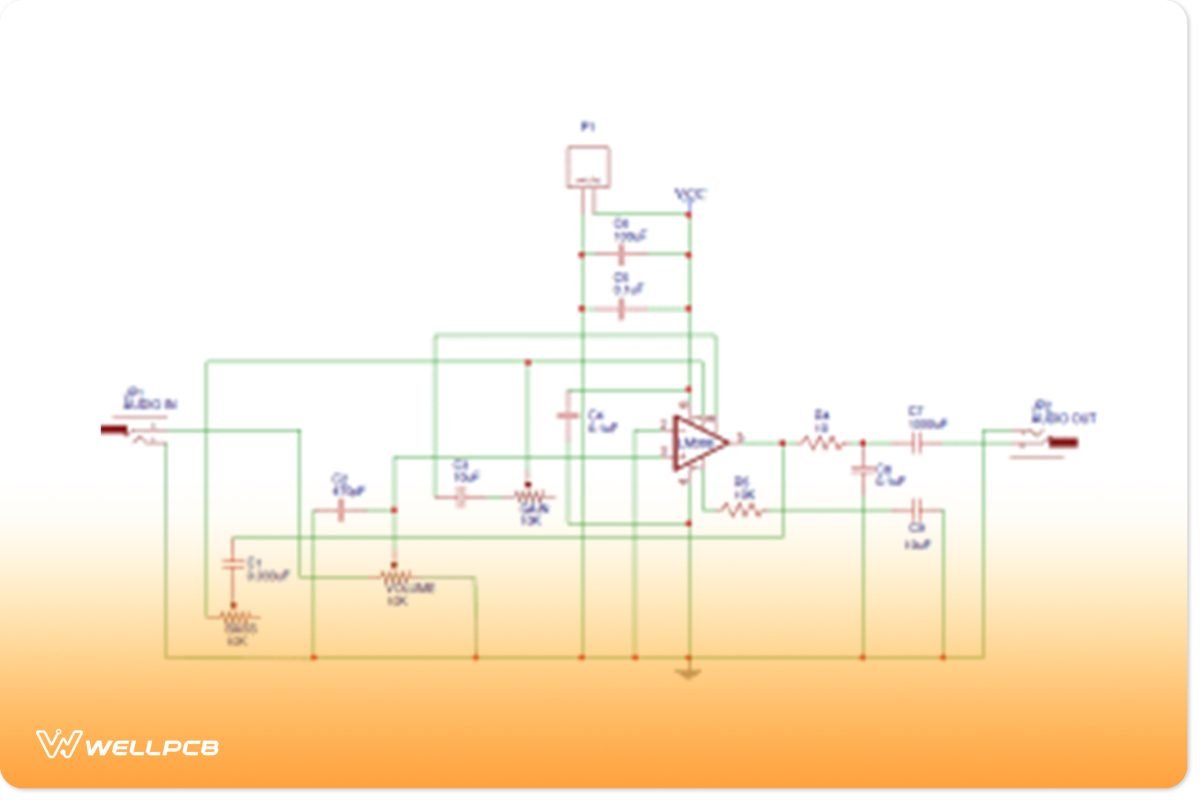
- Schematic Design Software: This is where your circuit's blueprint comes to life. You'll use this to draw electrical diagrams, placing abstract symbols for components and connecting them with virtual wires according to your circuit's logic. Popular examples include KiCAD and EasyEDA.
- PCB Layout Software: Once your schematic is perfected, this software takes over. Here, you'll translate your logical diagram into a physical layout, determining where each component sits on the board and how the copper traces (the actual electrical paths) will run between them. Many tools, like Altium Designer, integrate both schematic and layout capabilities seamlessly.
Beyond software, a few physical tools will become your trusted companions once you move from design to fabrication and testing:
- Multimeter: An indispensable tool for testing electrical components and circuits, ensuring everything functions as intended.
- Soldering Kit: Essential for assembling and soldering your components onto the manufactured PCB.
- Gerber File Viewer: Before sending your designs off for manufacturing, this viewer allows you to inspect the final output files (Gerbers) to catch any last-minute errors.
The PCB Design Process: A Step-by-Step Journey
Regardless of the complexity, most PCB design projects follow a similar, well-defined pipeline. Each step builds upon the last, ensuring a robust and functional end product.
- Schematic Design: The Blueprint: This is your initial creative phase. You'll use your chosen software (like KiCAD or EasyEDA) to draw the circuit diagram, adding symbols for each component and making logical connections. Think of it as mapping out the electrical conversation your components will have.
- Component Placement: Arranging the Orchestra: With a solid schematic, you move to the physical board. Here, you arrange your components on the PCB layout. This isn't just about aesthetics; strategic placement minimizes trace lengths, reduces signal interference (especially for high-power or sensitive parts), and ensures the board can be manufactured and assembled easily.
- Routing the Traces: Drawing the Pathways: This is where you connect your components with copper traces. These traces are the actual physical wires that electricity will flow through. Good routing means efficient current flow, minimal noise, and adherence to design rules.
- Gerber File Generation: The Manufacturing Hand-off: Once your layout is complete, you generate Gerber files. These are the industry standard for PCB manufacturing, providing detailed instructions to fabrication houses on how to create each layer of your board, including copper traces, solder masks, and silkscreen labels.
- Simulation and Testing: Proofing Your Work: Before committing to manufacturing, many designers use simulation tools to virtually test the circuit's functionality. This crucial step helps catch errors and optimize performance, saving time and money by avoiding costly re-spins of physical boards.
Choosing Your Digital Workbench: Navigating PCB Layout Software
The landscape of PCB layout software is vast and varied, offering options for every skill level and budget. Finding the right tool for your project is critical, and thankfully, abundant tutorials and guides for PCB layout software exist for each platform. If you're looking to Explore PCB layout software in depth, you'll find a wide spectrum of capabilities.
Free and Open-Source Heroes: KiCAD
For beginners, students, and hobbyists, open-source software like KiCAD is a fantastic starting point. It's completely free, boasts an incredibly active community, and provides comprehensive features that often rival paid solutions.
- Key Features: Extensive component libraries, a 3D viewer to visualize your board, multi-layered PCB support, and integrated schematic capture.
- Why it's Great for Beginners: The vast community means an endless supply of tutorials, forum discussions, and YouTube guides. Many resources are dedicated to getting started with KiCAD, making the learning curve manageable.
- Learning Resources: KiCAD's official website offers documentation, and a quick search on YouTube will reveal hundreds of step-by-step video tutorials.
Cloud-Based Convenience: EasyEDA
EasyEDA presents another excellent option, especially for those who prefer an online, browser-based environment. It's intuitive, making it a favorite among DIY enthusiasts and those collaborating remotely.
- Key Features: Cloud-based accessibility, an integrated component library (often linked to real-world parts for ordering), schematic capture, PCB layout, and direct Gerber export.
- Why it's Great for Beginners: Its drag-and-drop interface and web-based nature mean you can start designing almost instantly without any software installation. Many users find mastering EasyEDA's intuitive interface straightforward.
- Learning Resources: EasyEDA provides its own set of tutorials and documentation directly on its platform, making it easy to learn as you go.
Professional Powerhouses: Altium Designer and Others
As your projects grow in complexity and require advanced features, professional-grade software becomes indispensable. Tools like Altium Designer stand out for their robust capabilities, integrated environments, and sophisticated simulation tools. While these often come with a significant cost, they offer unparalleled efficiency and error-checking for complex designs.
- Key Features: Unified interface for all design stages, advanced routing options, powerful simulation, extensive component management, and sophisticated design rule checking (DRC).
- Why it's for Advanced Users: These tools handle multi-layer boards, high-speed designs, and complex signal integrity issues with ease. They are built for efficiency in professional environments.
- Learning Resources: Professional software vendors invest heavily in comprehensive tutorials, webinars, and dedicated support to help users leverage their powerful features.
Other free tools exist, often catering to even simpler DIY projects, providing basic breadboard, schematic, and PCB layout views, perfect for very small, single-layer boards.
Mastering the Process: Step-by-Step with Tutorials and Guides
Understanding the design flow theoretically is one thing; putting it into practice is another. This is where comprehensive tutorials and guides for PCB layout software truly shine, breaking down each intricate step into manageable, actionable instructions.
1. From Concept to Canvas: Schematic Design Tutorials
The schematic is your circuit's soul. Tutorials will walk you through:
- Component Selection: How to find and place component symbols from the software's library (e.g., searching for a "0.1uF capacitor" or a "555 Timer IC").
- Connecting Wires: How to draw electrical connections between components, ensuring logical flow.
- Net Labels and Power Symbols: Using net labels to connect points across different parts of the schematic without drawing long wires, and correctly applying power and ground symbols.
- Hierarchical Schematics: For complex designs, tutorials will show you how to break your circuit into smaller, manageable blocks using hierarchical sheets.
A good tutorial for this stage will emphasize clarity and organization, helping you create a schematic that's easy to read and troubleshoot.
2. Strategic Placement: The Art of Component Layout
Once your schematic is done, layout is about transforming abstract connections into a physical reality. Guides will teach you:
- Footprint Association: Linking each schematic symbol to its corresponding physical "footprint" (the pads where the component will be soldered).
- Logical Grouping: Placing related components (e.g., a microcontroller and its supporting capacitors) close together.
- Power and Signal Isolation: Spacing high-power components away from sensitive analog signals to prevent interference.
- Thermal Management: Considering heat dissipation, especially for components that generate a lot of heat, and ensuring adequate airflow or heatsink space.
Excellent tutorials often use visual examples, demonstrating common placement strategies and highlighting pitfalls to avoid.
3. Weaving the Web: Effective Trace Routing
Routing is arguably the most visually engaging part of PCB design. Tutorials and guides will cover:
- Basic Trace Drawing: How to draw copper traces between component pads.
- Trace Width and Clearance: Choosing appropriate trace widths for different current levels and maintaining adequate clearance between traces to prevent short circuits.
- Via Usage: Understanding when and how to use vias (small holes connecting traces between different layers of a multi-layer board).
- Differential Pairs and High-Speed Routing: For more advanced designs, specialized tutorials delve into routing techniques for high-speed signals to maintain signal integrity.
- Ground Planes: The importance of robust ground planes for noise reduction and stable power distribution.
Look for guides that offer practical tips, like starting with critical signals first and avoiding sharp 90-degree trace bends.
4. Preparing for Production: Gerber File Generation and DFM
The final design isn't ready until it's prepared for the manufacturer. Tutorials will guide you through:
- Generating Gerbers: How to export all necessary layers (copper, solder mask, silkscreen, drill files) in the Gerber format.
- Drill Files: Ensuring accurate drill hole information for all component pins and vias.
- Bill of Materials (BOM): Creating a comprehensive list of all components needed for assembly.
- Design for Manufacturability (DFM): This is crucial. Tutorials will stress adapting your design to the capabilities and requirements of your chosen PCB manufacturer. understanding Design Rule Checks (DRC) is a core part of DFM. This involves considerations like minimum trace width, spacing, drill sizes, and panelization.
5. The Virtual Lab: Simulation and Validation
Before fabrication, it's wise to test. Many advanced PCB layout software packages offer integrated simulation tools. Tutorials for this stage will teach you:
- Setting up Simulations: How to define inputs, outputs, and parameters for your circuit.
- Analyzing Results: Interpreting voltage, current, and signal waveforms to ensure correct functionality.
- Iterative Design: Using simulation feedback to tweak your design before committing to a physical prototype.
This step can save significant time and money by identifying and rectifying errors digitally, long before manufacturing.
Beyond the Basics: Advanced Concepts and Pro-Level Tools
As your skills evolve, you'll inevitably encounter more complex challenges. This is where professional-grade software, exemplified by tools like Altium Designer, truly shines, offering an integrated approach to tackle advanced PCB design.
Altium Designer provides a unified interface that brings together all critical design tools, from schematic capture to layout, routing, and even manufacturing outputs. This eliminates the need to jump between different software packages, streamlining the entire workflow. Its core strength lies in its rules-driven design engine, which acts as a vigilant co-designer, guiding you and instantly detecting potential errors.
Consider some of the common design headaches Altium Designer's tutorials help you solve:
- Clearance Violations: Critical for electrical functionality and preventing short circuits, these errors relate to insufficient spacing between traces, pads, or components. Altium's DRC (Design Rule Check) quickly flags these, crucial for consistent trace impedance, ESD prevention, and overall manufacturability.
- Silkscreen Solder Mask Errors: These conflicts occur when silkscreen (the component labels) overlaps with solder pads, potentially affecting assembly and soldering. The software identifies these visual and functional issues.
- Cross-Probing: Imagine finding an error in your layout and instantly being shown its corresponding location in the schematic. Altium's cross-probing feature makes debugging incredibly efficient, allowing you to quickly pinpoint the source of a problem.
For those using such powerful platforms, learning resources are extensive. Altium Designer provides access to a wealth of materials, including: - Video Tutorials: Step-by-step guides for mastering specific design features.
- Live and On-Demand Webinars: Expert-led sessions covering advanced topics and best practices.
- A Comprehensive Knowledge Base and Blogs: Articles and technical explanations to deepen your understanding.
Furthermore, integrating real-world manufacturing considerations is vital. Altium Designer's Manufacturer Part Search panel simplifies sourcing by allowing you to quickly add components from a managed library, often linked to real-time stock and pricing information. When it comes to manufacturing outputs, the software automates the generation of Gerber files, pick-and-place files (for automated assembly), assembly drawings, and comprehensive Bills of Material (BOMs).
A strong emphasis is placed on setting up DRCs (Design Rule Checks) to match specific manufacturer DFM (Design for Manufacturability) guidelines. This proactive approach helps avoid costly delays and re-spins. The software also supports easy panelization, grouping multiple copies of your design onto a single manufacturing panel, which can significantly scale production and reduce per-board costs. Its fully customizable, rules-based design environment ensures that your layouts comply with both technical requirements and your specific design rules, providing a robust framework for complex and professional projects. Moreover, Altium Designer on Altium 365 offers cloud integration, facilitating remote work and enhancing collaboration efficiency.
Practical Wisdom: Tips for Successful PCB Design
Beyond mastering the software, adopting a few key habits can dramatically improve your PCB designs, whether you're working on a simple single-layer board or a complex multi-layer system.
- Keep Traces Short and Direct: Longer traces increase resistance and capacitance, leading to signal loss and potential noise. Always strive for the shortest, most direct path between components, especially for high-speed signals or power lines. This improves signal integrity and overall performance.
- Place Components Logically: Group related components together (e.g., a decoupling capacitor next to its IC). This minimizes trace lengths, simplifies routing, and helps prevent signals from crossing unnecessarily, which can induce interference. Think about the flow of current and signals as you place.
- Design for Manufacturability (DFM) from Day One: Always keep the manufacturing process in mind. Adhere to your chosen manufacturer's specific guidelines regarding minimum trace width, spacing, drill hole sizes, and pad sizes. Failing to do so can lead to fabrication errors, increased costs, and project delays. Good tutorials and guides for PCB layout software will always emphasize DFM.
- Run Design Rule Checks (DRC) Religiously: Your PCB software has powerful built-in DRC engines for a reason. Use them! Regularly run DRCs throughout your design process, not just at the end. This will identify and help you fix common errors like clearance violations, short circuits, and unrouted traces early on, saving you countless headaches.
- Utilize PCB Simulation Tools: If your software supports it, simulate your circuit's functionality before sending it off for fabrication. Simulation can catch performance issues, timing errors, and signal integrity problems that might be invisible during layout, allowing you to refine your design virtually.
- Document Everything: Keep detailed notes on design decisions, component choices, and any specific considerations. This documentation is invaluable for troubleshooting, future revisions, and collaboration.
- Start Simple and Iterate: Don't try to design a complex, multi-layer board for your very first project. Begin with simple single-layer designs, master the basics, and gradually increase complexity. Each project is a learning experience.
Common Pitfalls to Avoid
- Ignoring Decoupling Capacitors: These tiny capacitors placed near power pins of ICs are critical for stable power delivery and reducing noise. Omitting them is a common mistake that can lead to erratic circuit behavior.
- Insufficient Grounding: A robust ground plane or effective grounding strategy is vital for signal integrity and EMI (Electromagnetic Interference) reduction. Poor grounding can lead to noise and unreliable operation.
- Not Considering Thermal Management: Components that dissipate significant heat require careful consideration. Overlooking thermal management can lead to component failure and reduced lifespan of your board.
- Neglecting Silk Screen Readability: A messy silkscreen (component labels) can make assembly and debugging a nightmare. Ensure labels are clear, visible, and don't overlap pads or vias.
Your Learning Journey: Finding the Best Tutorials and Guides
The vast amount of information available online can be overwhelming, but it also means you're never truly stuck. The key is knowing where to look for reliable and effective tutorials and guides for PCB layout software.
- Software Vendor Resources: Always start with the official source. Companies like Altium, and communities behind open-source projects like KiCAD, provide comprehensive documentation, video tutorials, and user manuals. These are usually the most accurate and up-to-date.
- Online Course Platforms: Websites like Udemy, Coursera, and LinkedIn Learning offer structured courses taught by experts. These often come with practical exercises and projects that reinforce learning.
- YouTube Channels: A treasure trove of visual learning. Many engineers and hobbyists create excellent, step-by-step video tutorials for specific software features or entire design projects. Search for "KiCAD tutorial for beginners" or "Altium Designer routing techniques."
- Community Forums and Blogs: Engage with the community! Forums specific to your chosen software (e.g., KiCAD forums, Altium Community) are invaluable for asking questions, sharing insights, and troubleshooting problems. Blogs from experienced designers often share practical tips and real-world case studies.
- Technical Articles and Application Notes: For deeper dives into specific design challenges (e.g., high-speed routing, power delivery networks), look for technical articles from component manufacturers or reputable engineering websites.
How to Evaluate a Good Tutorial
Not all tutorials are created equal. When selecting a guide, look for:
- Clarity and Structure: Is the information presented logically, with clear headings and easy-to-understand language?
- Practical Examples: Does it include step-by-step instructions with screenshots or video demonstrations?
- Recency: Is the tutorial up-to-date with the latest software version? Software changes rapidly.
- Credibility: Is the author or source knowledgeable and experienced in PCB design?
- Actionable Advice: Does it provide specific tips and best practices that you can immediately apply?
Answering Your Burning Questions About PCB Layout Software
It's natural to have questions as you navigate the world of PCB design. Here are some common queries addressed directly:
Q: Do I need to be an electrical engineer to design PCBs?
A: Absolutely not! While an understanding of basic electronics principles is incredibly helpful, you don't need a formal engineering degree. Many hobbyists and makers learn PCB design through dedicated tutorials and hands-on practice. The tools are increasingly user-friendly.
Q: Can I design multi-layer PCBs with free software?
A: Yes, many free and open-source tools like KiCAD offer robust support for multi-layer PCB design, allowing you to create boards with multiple copper layers for more complex circuits.
Q: How long does it take to learn PCB layout software?
A: The basics can be grasped in a few days or weeks with focused effort and good tutorials. However, mastering advanced techniques and becoming truly proficient takes months or even years of consistent practice and learning. Start with simple projects to build confidence.
Q: What's the biggest mistake beginners make in PCB layout?
A: A very common mistake is neglecting Design Rule Checks (DRC) or not customizing them to the specific manufacturer's capabilities. This can lead to designs that are either impossible or very expensive to fabricate. Another common error is poor component placement and routing that leads to signal integrity issues or thermal problems.
Q: Are there online communities where I can get help?
A: Definitely! Most popular PCB software, especially open-source ones, have vibrant online communities. Forums, Discord servers, and Reddit communities (like r/PrintedCircuitBoard) are excellent places to ask questions, share designs, and learn from experienced designers.
Q: What are Gerber files, and why are they important?
A: Gerber files are the industry-standard output format for PCB manufacturing. They are essentially a set of vector files that describe each layer of your PCB (copper traces, solder mask, silkscreen, drill holes, etc.) to the fabrication house. They are crucial because they ensure your design is accurately translated into a physical board.
Taking the Leap: From Idea to Your First Custom Board
The journey from a circuit idea to a physical, functioning PCB is incredibly rewarding. It demands patience, attention to detail, and a willingness to learn from mistakes. But with the wealth of tutorials and guides for PCB layout software available today, that journey is more accessible than ever.
Start with a simple project—a small LED blinking circuit, a basic power supply, or a custom sensor board. Immerse yourself in the introductory tutorials for a chosen software like KiCAD or EasyEDA. Don't be afraid to experiment, make errors, and iterate. Each design, successful or not, builds your expertise. Soon, you'll be confidently translating your innovative ideas into the compact, efficient electronic backbones that power our modern world. The tools are ready, the knowledge is at your fingertips, and your custom electronic creations are waiting to be born.